
5 “Smart” Upgrades You Should Do at Home (and 3 Things to Keep Basic)
Smart technology makes it easy to run your household with your phone, tablet, or even the sound of your voice. From energy-saving thermostats to refrigerators that will text you to pick up more milk or juice at the store, there’s a wide range of devices to complement (or challenge) your tech savvy. Whether you just moved into a new place or are considering upgrading some home devices, it’s a good idea to understand what smart home tech makes sense for you.
If some smart home devices strike you as a bit too advanced for everyday living, you’re not alone. They also tend to come with a higher price tag than their basic counterparts. To help you figure out where to spend and where to save, I spoke with real estate and property management professionals for the scoop on which smart upgrades are worthy of your household budget and which appliances are better kept basic.
The Best Smart Technology to Have in Your Home
Smart tech is a way to make your life easier, but these upgrades obviously cost money, so take a look at the smart home additions that experts say are worth the price. Of course, everyone’s situation is different, so you might not need all of these. You could also add in smart home upgrades over time to avoid running up a high bill all at once.
Smart Thermostats
Smart thermostats allow you to control your heating and cooling system from your phone or tablet. Aside from remote operation, the real flex of thermostats like Google Nest or an ecobee Smart Thermostat is that they can sense household routines and suggest heating and cooling cycles that will keep you comfortable and cut down on energy usage.
Between saving on your energy bills and any applicable rebates from your utility company, smart thermostats “typically pay for themselves,” says Brandon Doyle, who is a real estate agent with RE/MAX Results in Maple Grove, Minnesota, as well as an author and a smart home expert. The Environmental Protection Agency reports that Energy Star smart thermostats can save an average of 8% on utility bills, or about $50 per year. With smart thermostats priced between $130 to $300, according to Angi, that means it’d “pay for itself” in a little over two to six years.
Smart Locks
Smart locks offer secure access without a key. Some require a passcode, like this from Teeho, while some have a passcode and an app, like this one from Yale Security — which also happens to have a traditional key as backup. Others require your fingerprint, such as this model from Ultraloq.
Doyle has tested over 35 types of smart locks, and he’s a fan of never having to worry about losing his key or leaving it at home. The only thing to remember is that, unless it’s a wired version, you will have to keep an eye out for the low-battery indicator and make sure it’s charged, but even that task has gotten easier over time. “There’s just so much good tech around smart locks,” he says, noting that battery life has greatly improved over the years.
While some keyless setups do require some degree of altering the door, there are other wireless models that are more renter-friendly, although you should check with your landlord and/or property manager for your building’s policy on changing locks. Since a smart lock is meant to provide security for your home, make sure you choose a reputable brand, and if you’re worried about it ever losing power, consider a model that comes with a physical key backup.
Smart Doorbells & Security Cameras
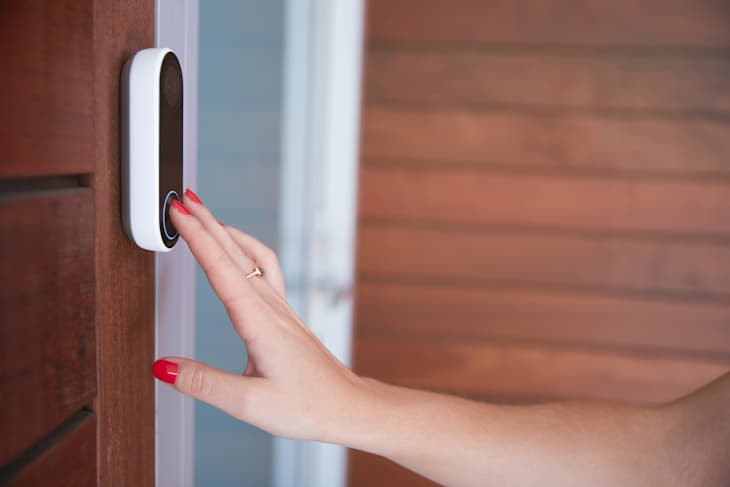
Having a camera at your front door and other key access points of your home offers peace of mind to homeowners and renters with very little installation. “[The] Ring [system] is a very easy switch-out for most people,” says Cassandra Mor, owner/broker at The Mor Group, a full-service real estate and property management company in Las Vegas. There are options for both hardwired and wireless, though you will have to remember to keep that battery charged in the latter instance for continuous operation.
Wireless options also make it simple for renters to install a security system that won’t make them forfeit their security deposit. Ring has several wireless options — including one that can simply be inserted in the peephole — and there’s one from Kangaroo that’s a peel-and-stick installation.
Smart Speakers
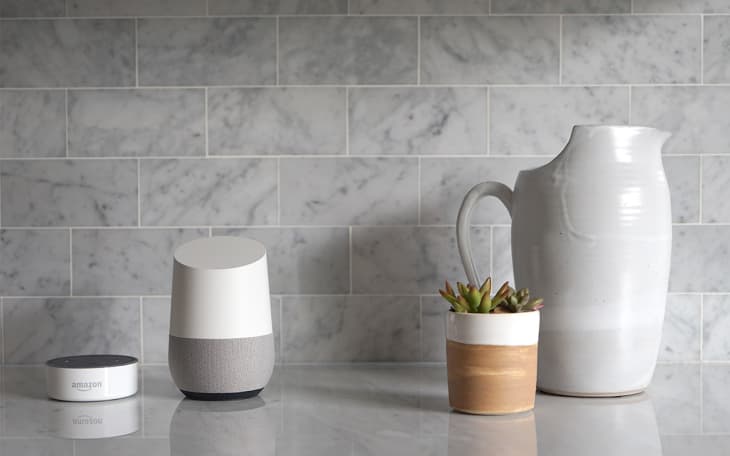
Smart speakers with voice assistants like Amazon Alexa and Google Home require minimal setup and can connect to any number of other smart devices, either by phone, tablet, or voice command. There are many budget-friendly options on the market, like an Echo Dot or a Nest Mini, making a smart speaker a good entry-level device for someone just getting their feet wet in the ocean of smart home technology.
For those more experienced with smart home technology, you can always attach appliances and other smart devices to your smart speaker, so you can control everything from one hub — it’s as straightforward as saying, “Alexa, turn on the lights.” And since the setup requires just WiFi and an outlet, renters will find it easy to pack them up when it’s time to move on.
Smart Lighting
“If you own your home, smart lighting systems and integrated security cameras are great long-term investments that can also boost resale value,” says Danielle Andrews, a real estate broker at Realty ONE Group Next Generation.
Mor says smart lighting is an especially good security measure as you can turn lights on while away from your home — or even if you’ve gone to bed and forgotten to shut off the lights.
Renters likely won’t mess with — or get permission for — hardwired smart lighting options, but Doyle says that smart bulbs, which can be easily screwed in and unscrewed, are a good option for renters. Smart plugs are another renter-friendly option. If you’re always wondering whether you shut off the curling iron, you can turn it off remotely from your phone. You can even sync up that smart plug to a voice assistant so you can turn lights on and off when you’re away.
When It’s Best to Keep Home Devices & Appliances Basic
Of course, some devices might simply be too smart for their own good. That’s not in a sci-fi/horror movie “The robots are taking over!” sense, but rather a “Do we really need this much functionality?” sort of way.
“Not everything needs a smart upgrade,” says Andrews. “Some features are best kept basic for reliability, cost-efficiency, or ease of maintenance.” Here are a few things that are just fine being “dumb” (though, of course, you should go for the smart versions if you want to!).
Large Appliances
Even though the apps that connect via WiFi to your phone or tablet are convenient, Doyle admits it’s not always necessary to have appliance data at a glance on your phone when you’re likely at home already. “Do I really need to know what temperature my oven is at or that my laundry is done?” he says of instant notifications for things like smart ovens and smart washers.
Faucets & Toilets
Doyle says some smart faucets can dispense a prescribed amount of water at a certain temperature at the touch of a button or even a voice command. “It’s a fun party trick,” he says, but most homeowners and renters won’t need that level of tech.
While a clogged toilet is the bane of both a renter’s and a landlord’s existence, making the toilet “smarter” with motion sensors or an app won’t necessarily prevent plumbing issues. As with faucets, Andrews says toilets featuring ordinary manual controls usually will require fewer repairs than their smart counterparts.
Thermostats in Small Homes, Old Homes, or Vacation Homes
A smart thermostat may be affordable and easy to install, but not every home setup necessarily warrants that level of connectivity. According to Angi, a manual thermostat ranges from $15 to $35, and a programmable electronic thermostat typically ranges between $20 to $150. Even with the eventual energy savings, it might take longer to recoup your costs if your energy bills are rather low to begin with in a small house with small utility costs.
“Standard HVAC systems with manual thermostats can be more practical in small spaces or vacation properties where you don’t need constant automation,” Andrews says.
Additionally, if you have an older home with an aging HVAC system, you might find it harder to convert to a smart thermostat and will likely have to pay even more to get a professional electrician to do it for you.
How to Choose Smart Technology for Your Home
If you’re eager to adopt the latest in smart technology, Doyle recommends first ensuring that your internet bandwidth is up to the task. Otherwise, you may find spotty connectivity to your devices and appliances. He also suggests looking for smart devices that don’t require an ongoing subscription to access the features, especially if you don’t plan to take advantage of all of them.
For those who are newer to smart devices and are unsure where to start, Mor suggests scrolling through the customer reviews on any smart device you’re considering. “They really do help,” she says, especially if you find something in the review that’s relatable to your own home setup. But if it seems like the feature’s installation or usage is going to be too stressful, Mor says, “Don’t do it.”
Check out the The New Mover to discover the latest tips and most innovative hacks to make your next move the smoothest one yet. This content was presented by a sponsor; it was created independently by our editorial team.