
Google Maps Now Lets You See What Your House Looked Like Years Ago

Google, in celebration of Street View’s 15th anniversary, has updated its tool with an exciting new feature: time travel.
Since 2007, the mapping technology has allowed users to explore the world through street-level photography. Now, users can browse the same places but at different intervals in the past — specifically, the times when the Street View car had passed through the area.
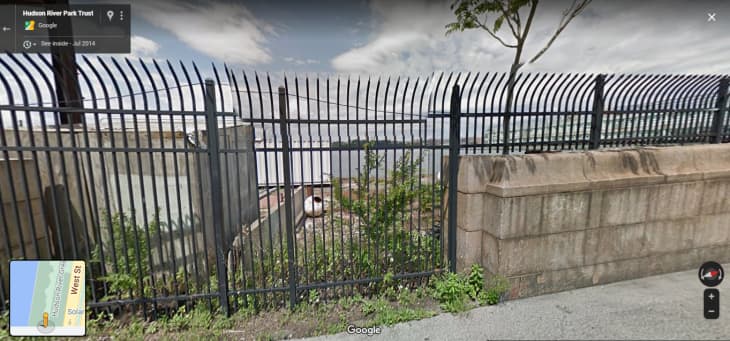
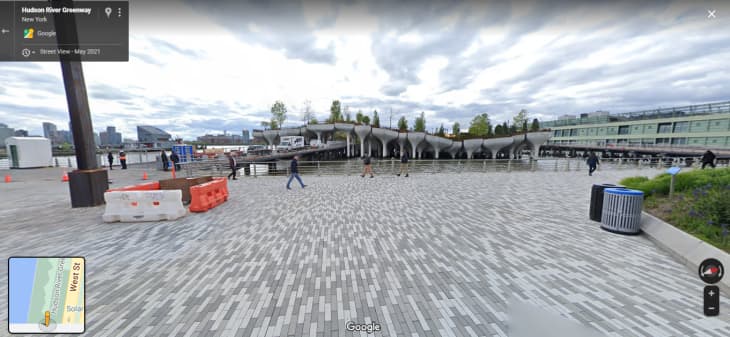
For instance, the photos below show Little Island in NYC. The first picture was taken in 2014, and the other in 2021. What’s interesting is that this update unintentionally creates a location’s before-and-after. Just look at the photos of Pier 55, the difference is night and day!
The tool can be used not only to see famous attractions and landmarks but also to reminisce about places that are more personal to you. In my case, it was amusing to see how my house and neighborhood have changed over the years. So nostalgic!
And for more practical matters, you could use it to compare choices and influence your decision-making process. For example, if the decision to paint your front door another color had aged well. Or, if you’re planning to buy or sell, to compare the development of the area from a decade ago to now.
To use the time travel feature, carry the tiny yellow person from the lower right-hand corner and drop him onto the map. This will activate Street View, and you should see a tiny clock icon on the top left corner. A slider will appear with various dates, and you can move the bar to travel through time.
Take note, though, that not all locations will have this feature. It works best in cities, where Street View’s cars have had plenty of chances to drive around the past 15 years. Enjoy time travelling!