
I Tried 7 Room Design Apps — These Are the Top 3 I’d Recommend
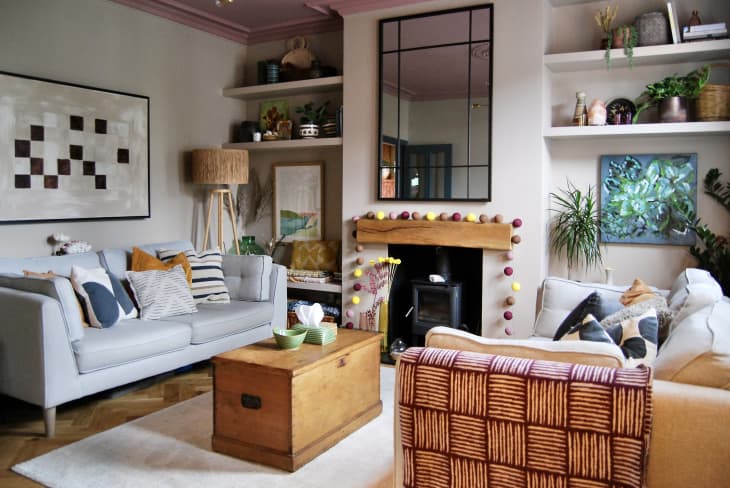
Thanks to the growing world of AI interior design tools, designing and decorating your home has never been easier. Room design apps specifically give you the ability to plan a room layout and visualize your space, getting you one step closer to making your dream room a reality. But with so many apps out there, it can be tough to find the perfect one. To help find the best of the best, I tried seven of the top-ranked room design apps. Check out my top three favorites, along with a few other design apps worth giving a go.
Top 3 Room Design Apps
- Planner 5D
- Homestyler
- Roomstyler

The Best Room Design Apps
Planner 5D
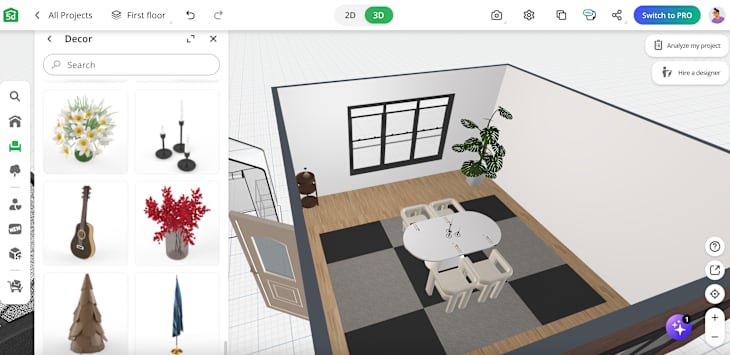
Planner 5D is a multi-platform tool that you can use to create 2D and 3D designs for homes, offices, and even landscapes. It has a user-friendly interface, so both beginners and pros can design spaces with ease.
Key Features
- You can create both 2D and 3D floor plans using more 8,000 items — from sofas to TV stands — to furnish your floor plan.
- Planner 5D also has a platform for professionals, in addition to AI tools, moodboards, 360 walkthroughs, and an AI floor plan converter.
- During a free seven-day trial, you have access to the “professional” plan, but you can continue using the tool with a free or “premium” plan after.
My Experience
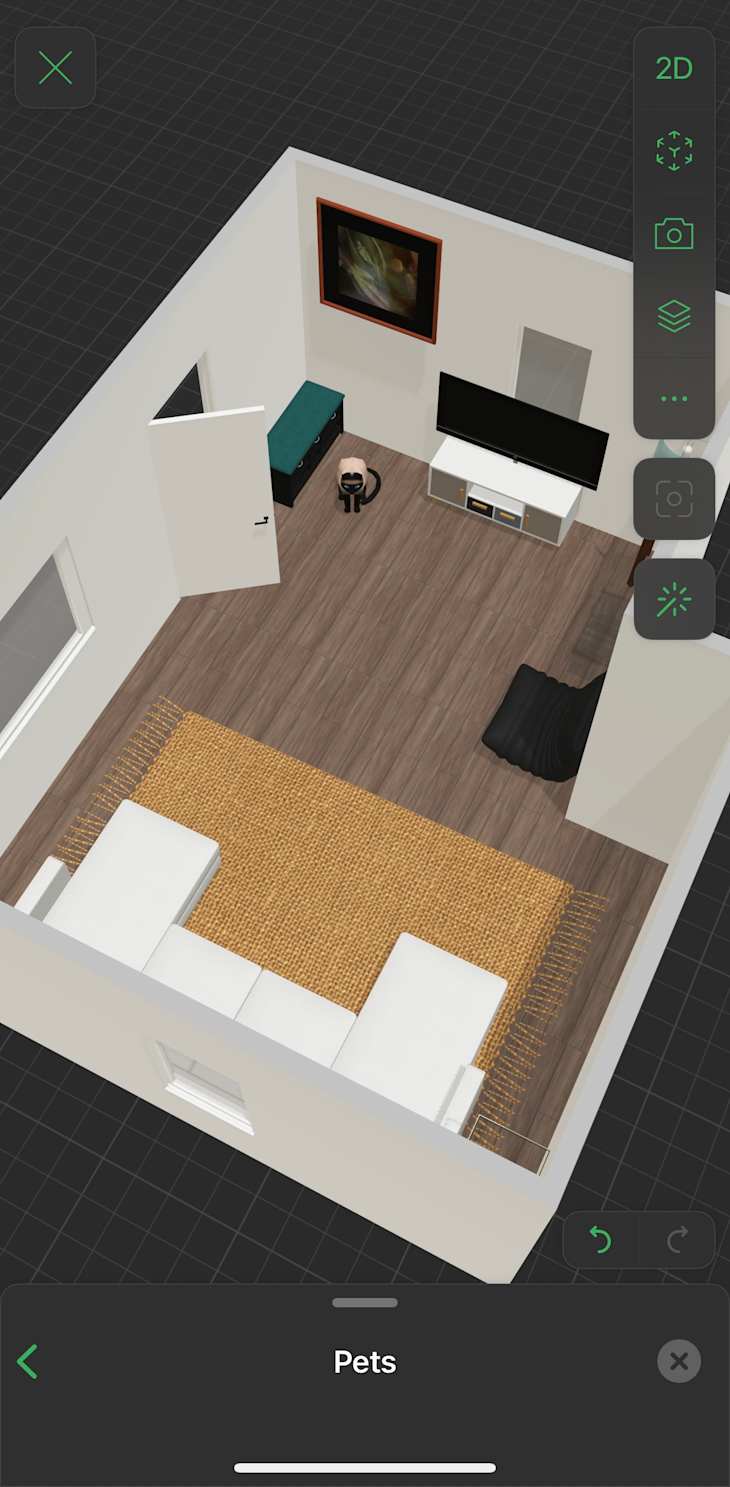
Planner 5D is the first room design app I tested, and I fell in love almost immediately. It had an incredibly easy and user-friendly interface from the start. When I started a new project, I had the option to create a floor plan by building it from scratch, using an AI home scanner to upload a floor plan and scan the room, and then using Smart Wizard to generate the room.
I used the home scan feature on my living room, and even though there was already furniture in it, it nailed the layout. I used it to visualize different furniture placements, as the room has been through a few, moving around a sofa, loveseat, coffee table, and accent chair with an ottoman. Specifically, I wanted to see what it would look like with a U-shaped sofa rather than the sofa and accent chair combo. I enjoyed using the tool on the app, and thought the web and desktop versions were fantastic, too.

Adding decor, lighting, and other decorating details was also very easy. The app had a wide variety of items to choose from. In addition to the typical pieces you’d expect, like furniture and kitchen appliances, you could also add pets, plants, workout equipment, seasonal decor, and more to your design. It almost felt like designing a room in The Sims.
However, I started off with a free trial of the “professional” plan, which offers thousands of items in its object library. After the trial is over, many of the objects are limited unless you upgrade to at least the “premium” plan, which starts at $59.99 annually or $19.99 per month.
Pros
- Very easy to use
- Multiple ways to access the app, including mobile, web browser, and desktop
- Includes room planning and AI generator for design inspiration
Cons
- Free plan has limited features and many items (80% to 90%) behind a paywall
Who This Is For
Planner 5D is so easy to use, it’s best for anyone who wants to design a space on their phone, web browser, or desktop, whether they’re interior designers, design enthusiasts, home owners, or renters.

Homestyler
Homestyler is the room design app you can go to when you want to visualize interior and exterior home makeover projects, or simply play around with designing spaces. There’s a social angle to it that makes it feel like a cross between a room design app and Pinterest, where you can like and comment on designs, in addition to creating your own, too.
Key Features
- You can create 2D and 3D floor plans and room designs for residential and commercial spaces.
- In addition to creating floor plans, it also has a custom furniture feature and an option for professionals to collaborate on projects.
- It has a design community where you can interact with other designs, post stories, and share projects, along with a game element to earn credits.
My Experience
I used both the app and web version of Homestyler, which both have their benefits. I first tried the iOS app that can be used to browse designs in a feed and design your space with an uploaded floor plan, a photo of a room, and a room scanner. You can also play around with template rooms with free, paid, and furnished options, and use features like an AI designer and AI modeler.
I enjoyed the app and getting a chance to see what other users are working on, but the web version is where the design magic happens. I tested out Homestyler using the free plan on my bedroom, using the room-scanning feature on the app, then the web version to play around with a new look. I’m always torn between minimalist design and a cluttercore aesthetic (shoutout to my many estate sale finds), and used the app to combine the two in a way I could actually replicate. In the floor plan, I updated my walls with neutral yet eye-catching striped wallpaper, a gallery wall above a bed, and a large shelving system filled with books and decor. But the best part about this app is that it contains a lot of products you can actually shop in real life, including options from Amazon, Joybird, Target, and more.
With the free basic plan, you can create floor plans and design rooms, but there are limitations with premium objects and features you can use. However, you can access more when you use Homestyler’s coin-based credits by completing design tasks, or upgrading your plan to a paid version. Aside from the basic plan, paid advanced rendering plans start at $19 per month. If you’re a first-time user, you can get your first month for as low as $4.90.
Pros
- Easy to use on multiple platforms
- Has a large object library to choose from, many of which you can actually buy
- Can really customize plans and furnishings with materials, styles, and texture
Cons
- Many objects are behind a paywall and require earning credits or paying for a higher tier
Who This Is For
Homestyler is best for design enthusiasts who want design inspiration, the ability to create room designs with ease on a web browser using real-life brands, and don’t mind the limited premium features on the free plan or paying for a higher tier.

Roomstyler
With Roomstyler, you can get inspired by other users’ projects, create your own designs, and make moodboards. It’s available as an app and on web browsers, but the app is more for inspiration and looking at other designs and the web version offers design inspo, design contests you can enter, and the 3D design tool.
Key Features
- You can create and design a 2D and 3D floor plan with a 3D photo preview in the corner.
- It has so many furniture and decor options, including ones from real-life brands, including Design Within Reach and Arhaus.
- There’s an option to connect with other designers by sharing, liking, and commenting on projects, as well as opportunities to enter design contests.

My Experience
I found Roomstyler to be a fun, easy, and free way to reimagine my space. To start your floor plan, you can draw your own walls or drag and drop premade room shapes; I used a mix of both. Sadly, it doesn’t have a room scanning feature, but even without it, I found it easy to use even though I don’t have any CAD experience or a design background (aside from years and years of playing The Sims, of course).
I loved the selection of home furnishings. Not only was it easy to drag, drop, and rotate the items, but they also featured products from real brands, along with the product name and dimensions, which I thought was useful in case I wanted to bring my designs to life one day. It doesn’t have direct links to the products that are actually shoppable, so there’s some Googling involved if you want to buy them, which is a small, but extra, step. Once the design is done, the 3D photo is downloadable, but higher-resolution options require credits that you have to buy.
Pros
- Free app that’s compatible with any web browser
- More than 120,000 items to design and decorate with, and customized light settings
- Has community features that lets you share your designs and moodboards
Cons
- Access to higher-resolution renders need to be purchased with credits
Who This Is For
Roomstyler is best for design lovers and enthusiasts who want a quick and efficient way to plan and create 3D photos of their designs. It’s particularly great for those who have the room dimensions they want to work with and don’t mind drawing their own walls rather than using a room scanner or uploading a photo.
Other Room Design App Options

Floorplanner
Floorplanner is a room design app that has a free version where you can create up to five 2D and 3D projects. It’s easy to use with thousands of objects to design and furnish your floor plans with, including options from popular brands like Crate & Barrel and Design Within Reach. There are other limitations with the free plan; however, you can access more premium features with paid credits or a paid monthly or annual plan starting at $5 per month or $60 per year.
Who This Is For
Floorplanner has options for personal and professional use, making it an all-around good room design app for those who want to create 2D and 3D floor plans with a large library of items.

HomeByMe
HomeByMe is a 3D design tool that you can use on your phone and web browser. You can create floor plans and decorate to your heart’s content with stylish pieces of furniture and decor. With credits, you have limited projects and image downloads, but if you purchase more, you can access advanced features and higher resolution images.
Who This Is For
HomeByMe is best for anyone who has a handful of design projects they want to bring to life.
Foyr Neo
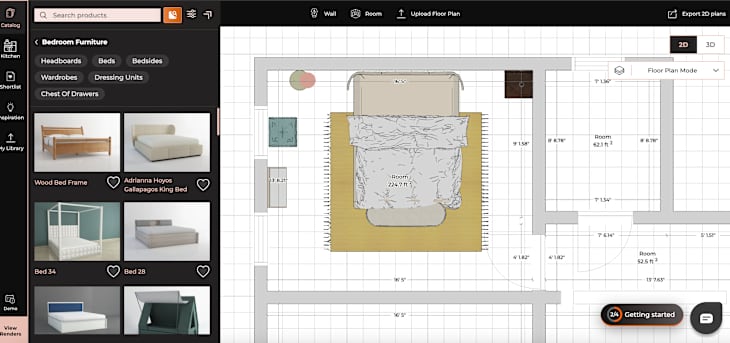
Foyr Neo is a design app made for professionals. You can create moodboards, renders, and 3D walkthroughs for any space, whether it’s residential or commercial. With more than 50,000 furniture models, an easy-to-use interface, AI design features, and access to design inspiration, you can design rooms in a matter of minutes. After a 14-day free trial, you can select one of three plans on a monthly or yearly basis starting at $29 per month.
Who This Is For
Foyr Neo is best for interior designers with clients that want a quick and easy program to create designs and manage projects. Since it’s easy to use, you certainly don’t need to be a professional to use it; however, the subscription cost might not be worth it for non-designers if it’s not frequently used.
Magicplan
Magicplan is a design app used to create floor plans. Made for professionals in the home space — including interior designers, contractors, real estate agents, and more — the app can create 2D and 3D floor plans and act as a project hub that manages forms, photos, and files.
Who This Is For
Magicplan is best for interior designers, contractors, and other home professionals who want a streamlined way to share and manage floor plans and projects. It’s also great for homeowners that want to track their renovation process.