
These Zoom Backgrounds from West Elm Will Make Your Coworkers Think You Redecorated
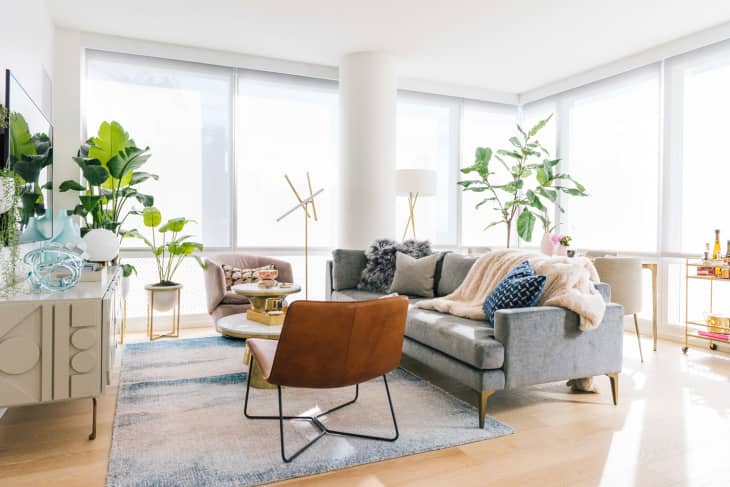
Due to the coronavirus, working from home has become the new norm for many, as have video conference meetings and online classes. This means your coworkers and fellow students get a look-see at your personal space, which can be kind of uncomfy, especially if you haven’t yet had the opportunity to Marie Kondo your apartment while self quarantining. So, West Elm wanted to ease your personal-space-invasion anxiety by creating faux backgrounds for the video conferencing platform Zoom.
The backgrounds are all images pulled from the company’s blog, Front + Main. You can choose from a selection of sun-soaked interiors including a vaulted-ceiling open-concept living room, a log cabin den, and an airy mid-century space, among others.

“The Creative Team at West Elm HQ kicked off this trend internally, joining meetings virtually from the West Elm Holiday House, this stunning A-Frame home and more, much to the delight of everyone else on the call,” writes Front + Main contributor Grace Rasmus in her article about the virtual West Elm backgrounds. She adds, “(Hey, a little levity can go a long way these days.)”
Too true, Grace. Too true.
In order to use one of the backgrounds available on the Front + Main blog on Zoom, all you have to do is drag the images Rasmus provided to your desktop. Then, open Zoom and click the gear settings in the upper-right corner of the window. Click “Virtual Background” from the toolbar on the left and click the plus sign to upload your image.
And voila—you’re suddenly living in your dream West Elm adorned home (at least it will appear that way to your coworkers).